
Preparing your download
Zoho Show App for Chrome is being verified and prepared...
Choose an Option
What is Zoho Show App for Chrome?
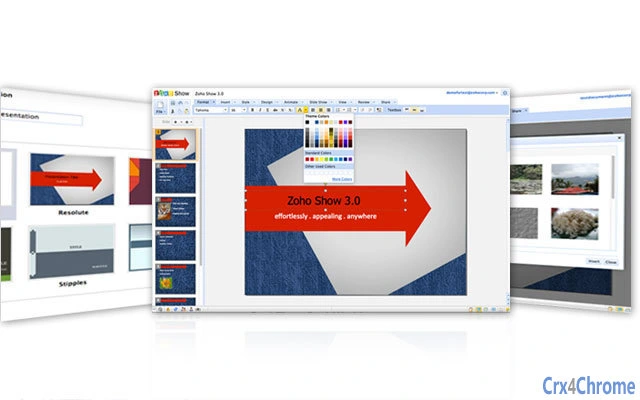
Zoho Show is an online tool for making powerful presentations. It allows users to share & collaborate on presentations and make remote presentations to clients.Zoho Show's pre-built themes, clipart and shapes coupled with features like drag-and-drop makes it an easy application to use. Professionals, teachers, students, businessmen or anyone looking to put together a cool presentation, can all use Zoho Show.FEATURES:Import/ExportZoho Show can import/export Microsoft PowerPoint (.ppt, .pps), OpenDocument (.odp) presentations. Export to PDF is also supported. Export to HTML is supported for offline viewing.Share and CollaborateShare your presentations with your friends/colleagues and the shared presentations can be viewed/edited with just a browser.Present from RemoteGive a presentation to a client who is half a globe away. Do your demos while at your seat.Create slideshows and embed in your blog or websiteMake your presentations public. Embed them in your blog or website for easy viewing of your readers.Draw using Shapes, Symbols and FlowchartsDraw diagrams using hundreds of symbols, flowcharts images stocked in our design gallery.Transitions and AnimationsChoose from over 30 different transition styles to introduce your slides including Cover, Wipe, Split, Fade and more. Animate the text items in a slide separately.Grids and Guides.Align objects precisely using Grids and Guides. 'Snap To' options to snap objects to closest grids and guides.ZoomZoom In/Out the slide editor for precise adjustments.Import images from Picasa/Flickr:Pull publicly shared images from your Flickr and Picasa accounts into your presentation.For more details, check out the below presentation,https://show.zoho.com/embed?id=9000000533015
How Download Works
Go to the Softpas website, press the 'Downloads' button, and pick the app you want to download and install—easy and fast!






